
Start with a live quote
Check a full domain name in the approved inventory. The requirements endpoint returns the current registration total, term, registrant fields, email-validation mode and agreement version.
Opens the existing DomainHelp JSON response. It does not create an order, charge a wallet, or register the domain.
Prepare before you spend
The agent collects the actual end user’s registrant details: name, postal address, reachable email and phone. Some registries require additional eligibility fields. An available quote is not permission to invent contact details or bypass restrictions.
Read the current quote and agreement, then approve the purchase. The agent prepares one immutable order using the published schema, a private random order token, and an idempotency key. Preparation itself does not collect payment.
Pay through the existing x402 flow
The documented registration endpoint challenges the prepared order for x402 payment. Use a standard x402-aware client with the quoted network, asset and total; do not construct payment signatures by hand. Discovery currently advertises Base USDC. Lookup fees and registration payments are separate.
Verify registration and delivery
Payment settlement, registry registration and easyDNS account delivery have distinct status fields. A 202 or uncertain result means poll the original order. Never make a second purchase to recover a lost response.
When payment has settled and registration is confirmed, save the returned recovery key in private, durable storage that the customer can retrieve. Complete the flow only after checking account delivery. easyDNS creates or selects the customer account and sends its normal welcome communications.
Confirm your registrant contact email
If this is a new or unverified registrant contact for a generic TLD, you will also receive a separate contact-verification email as part of ICANN’s Whois Accuracy Program. You must follow the individual link in that email and confirm your contact information by the deadline shown.
The confirmation page is hosted at https://approve.domainadmin.com. Use the link in your actual email to reach your verification page. Failure to complete verification can result in domain suspension.
This confirmation is separate from the email check during order preparation and from easyDNS welcome or account-delivery emails. Successful payment, registration or account delivery does not confirm that this step is complete. Contacts already verified may not need another check; ccTLD requirements can differ.
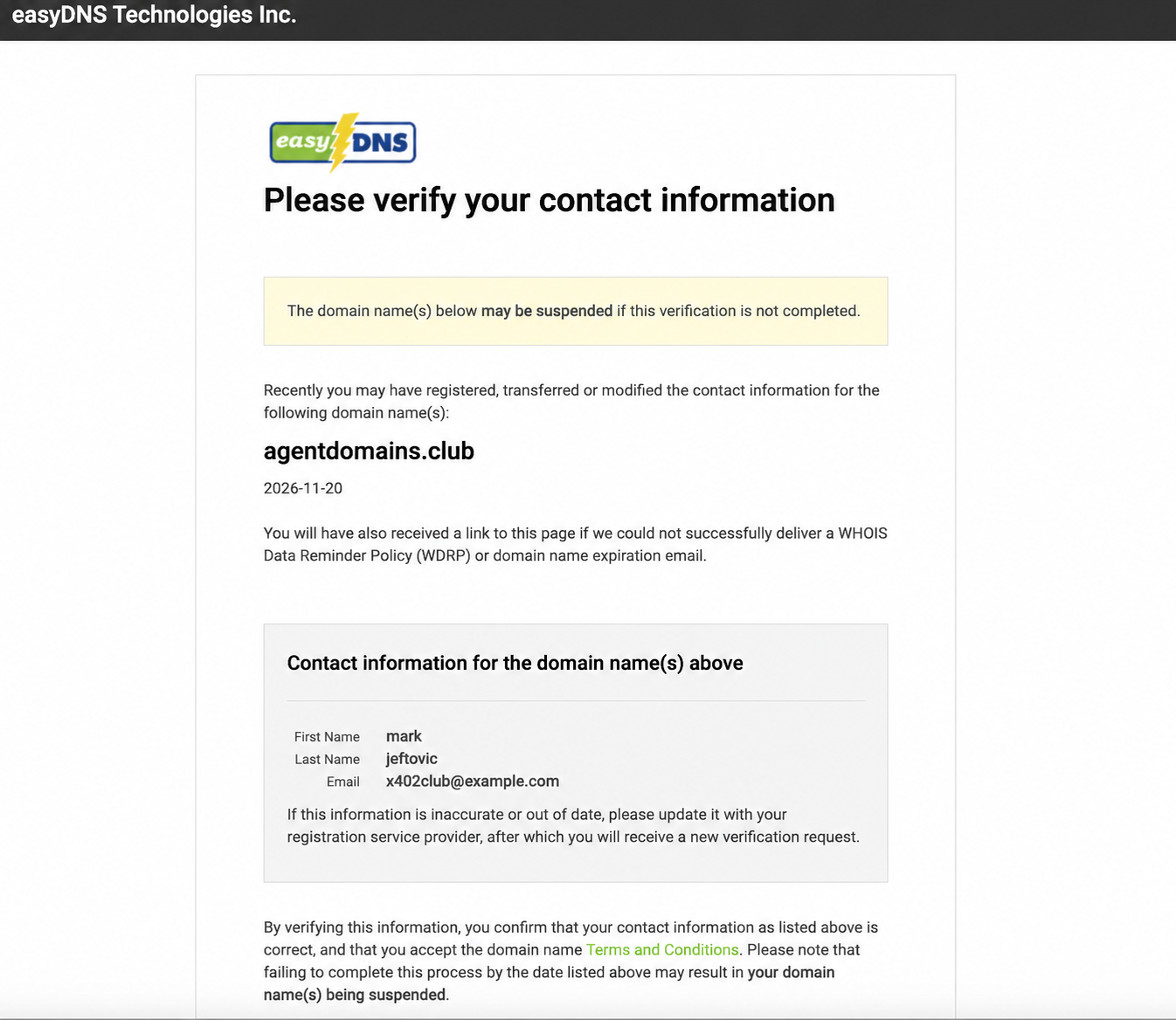
ICANN contact-verification requirements
Manage the domain at easyDNS
Use the customer account for DNS and renewals. Enable API access from the easyDNS account or review the official easyDNS MCP project for subsequent DNS operations. Keep account credentials and recovery keys out of public pages and agent transcripts.
Recurring x402 renewal is planned, not available in this release. See renewal and lifecycle guidance.
Hand the workflow to your agent
Help me find and register a domain using the registration skill at https://dnsskills.md/register-domain/SKILL.md. Check the x402nic inventory at https://x402nic.com/tlds.json. Check availability of the full domain name and show me the total price, quoted term, renewal method, and required registrant details. Ask for my approval before making a payment. Use my actual registrant details, follow the published order and x402 flow, and keep any recovery key private and retrievable. After registration, confirm delivery to my easyDNS account and help me manage DNS through easyDNS.